Wiring diagram CAD for everyone

cadett ELSA adapts like a chameleon
Electrical diagram CAD products that adapt like a chameleon.

Electrical diagram CAD products that adapt like a chameleon.

Reviews

Autodesk and cadett

Short facts

cadett has extensive experience and close cooperation with Autodesk since the 1980s.

  • cadett check box
    Your partner for electrical engineering
  • cadett check box
    Complete system for electrical schematic design
  • cadett check box
    Wide range of services and facilities

Foundation

0

Accumulated knowledge

+ 0 years

Average experience of our consultants

0 years

Flexibility

0 %

Cooperation with Autodesk

+ 0 years

Possible configurations

0 +

Examples of smart cadett

SmartMove.

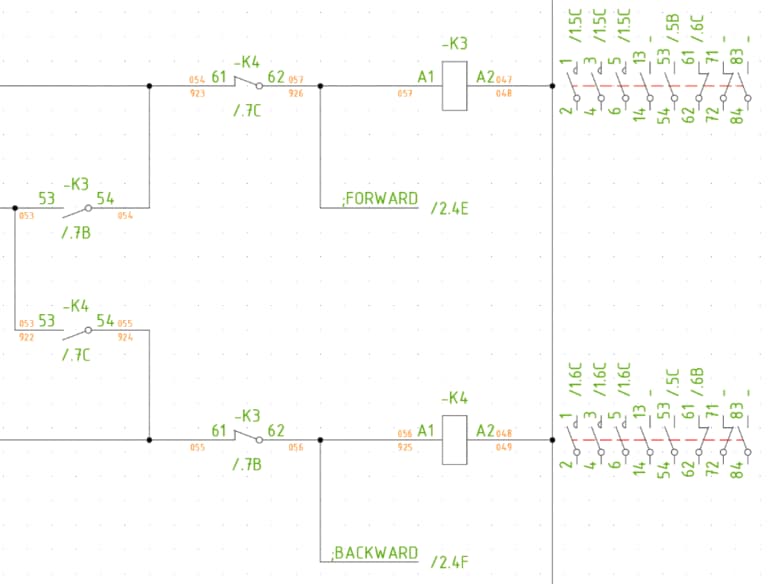
It's easy to move symbols, and the lines follow along!

AutoLine.

Speeds up the drafting process by automatically suggesting how to draw the lines.

2D to 3D.

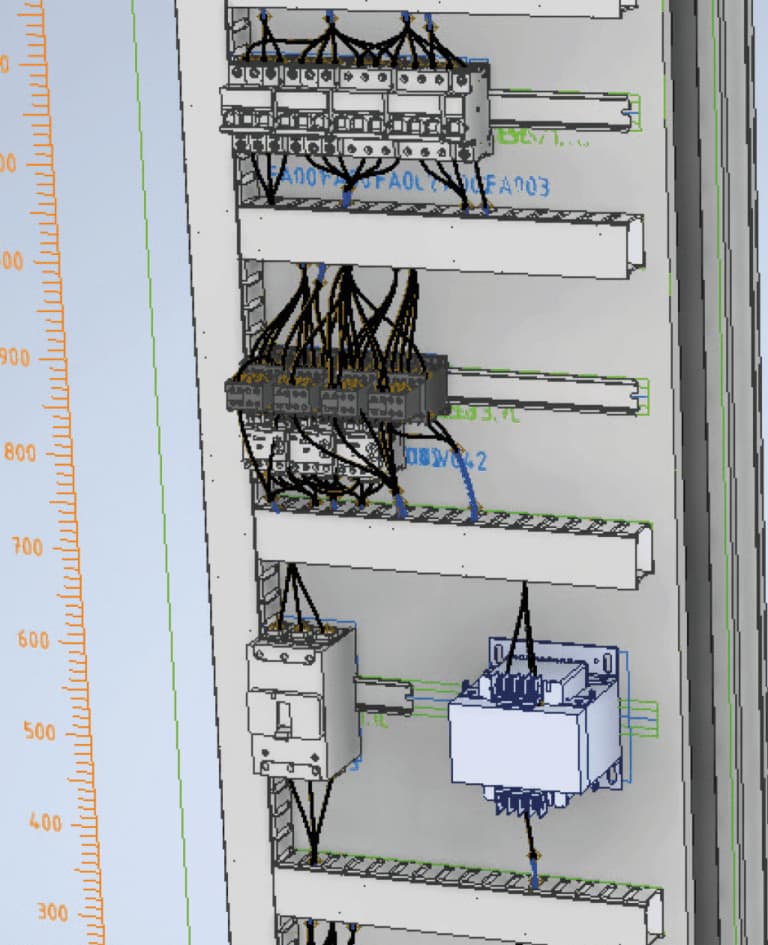
Draw a simple cabinet layout in 2D and automatically convert it to 3D. Use AutoRouting to find the best routing path and calculate wire lengths.

Dynamic Online.

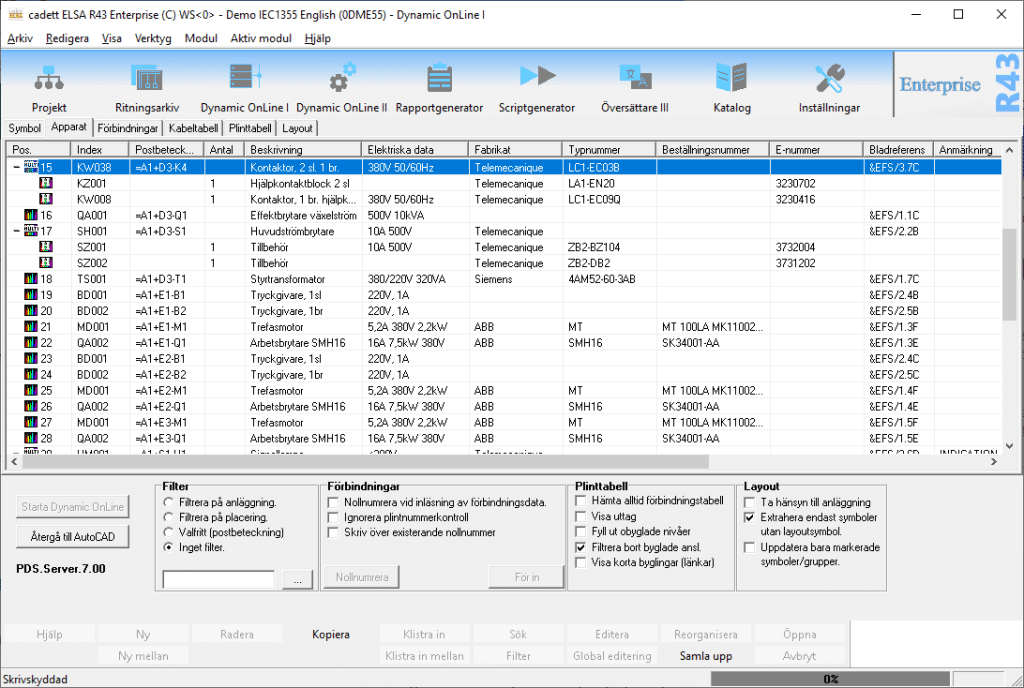
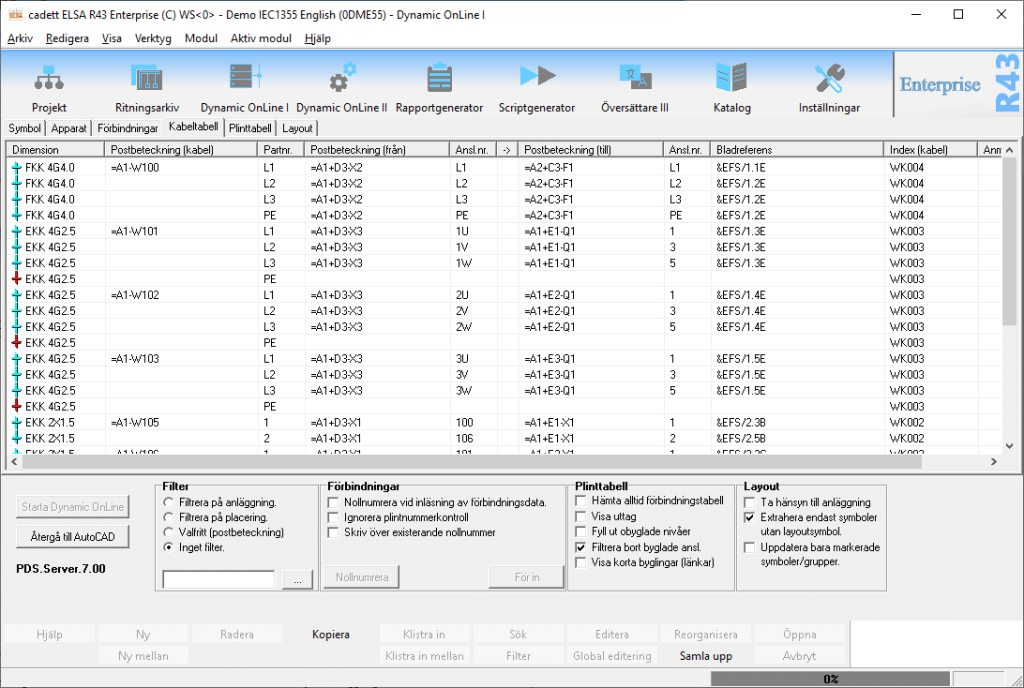
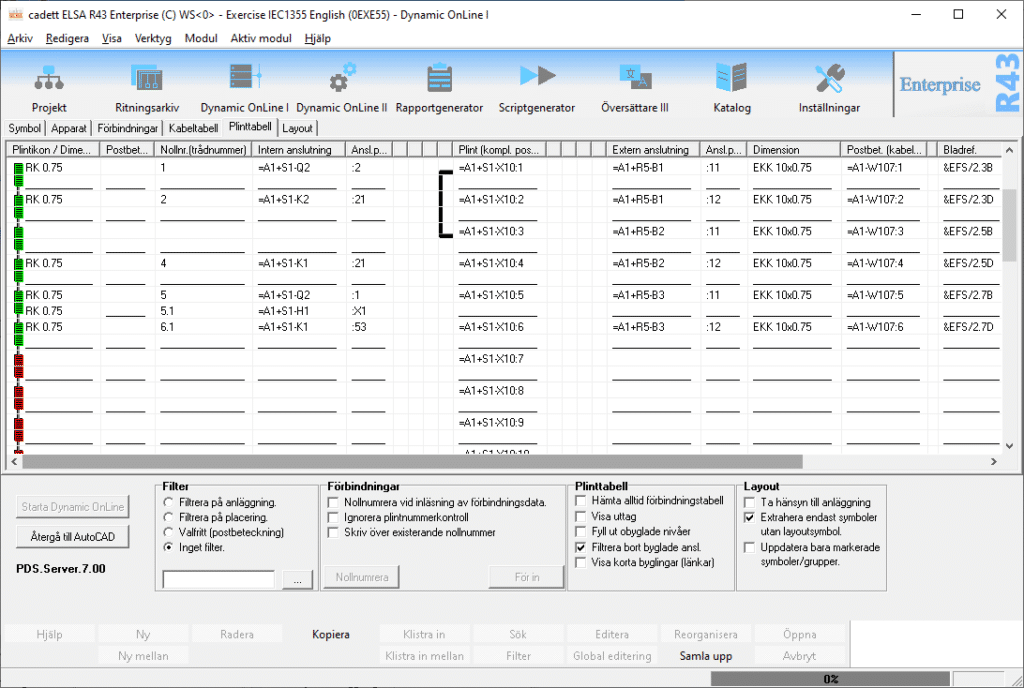
With Dynamic OnLine you can edit tables such as device lists, wire lists, and cable lists directly on the screen. The changes are transferred directly to the circuit diagram sheets, which are then updated automatically.

Powerful connection handling.

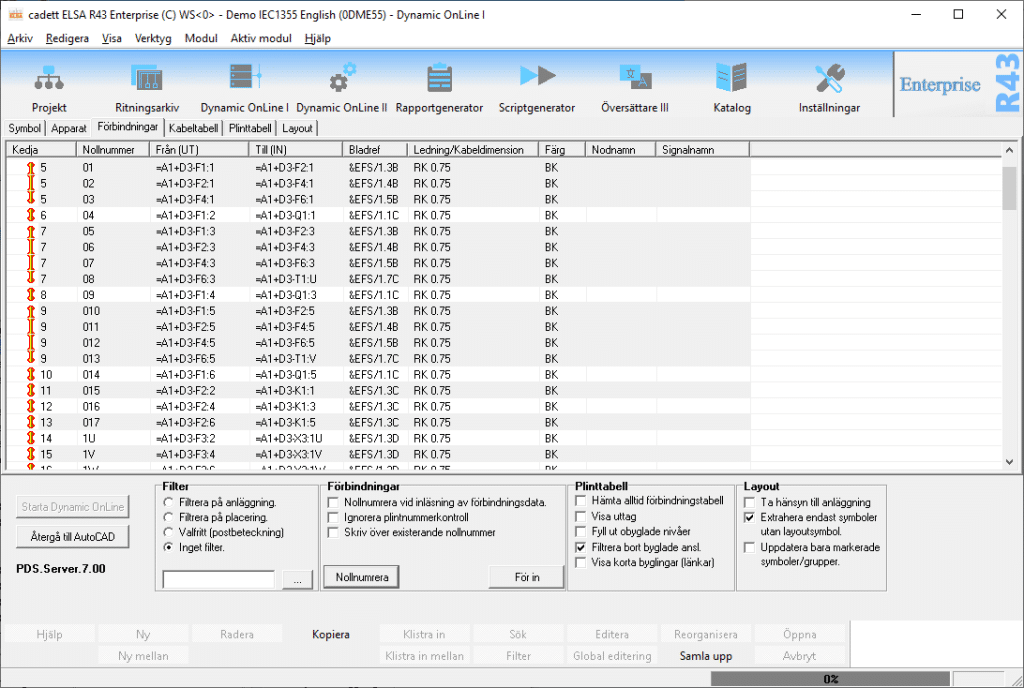
cadett ELSA has a powerful connection handling including automatic wire numbering. The wires are automatically connected by the shortest route according to the cabinet layout. If you want to connect a different route, it is easy to adjust if necessary. The wire list can be exported in any format for wire marking or connection to 3D CAD systems.

Article portal.

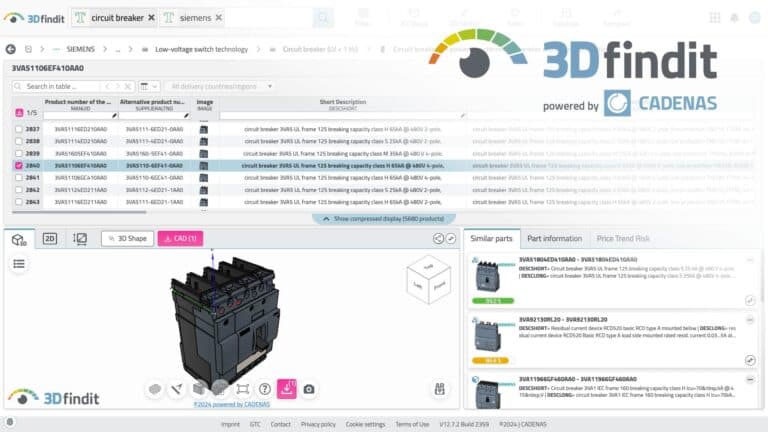
A new cooperation agreement between cadett and CADENAS gives all users of cadett ELSA direct access to an article portal with hundreds of thousands of components from all major suppliers. Symbols and article data are retrieved easily and elegantly.

Integration.

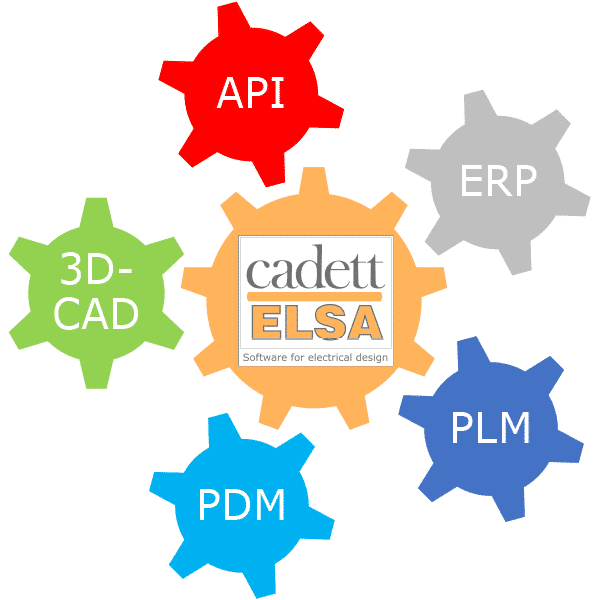
The open and well-documented application programming interface (API) makes it easy to integrate cadett ELSA with other IT systems.

3D cabinet layout.

cadett ELSA supports 3D cabinet layout and can be connected to Autodesk Inventor and other 3D CAD programs.

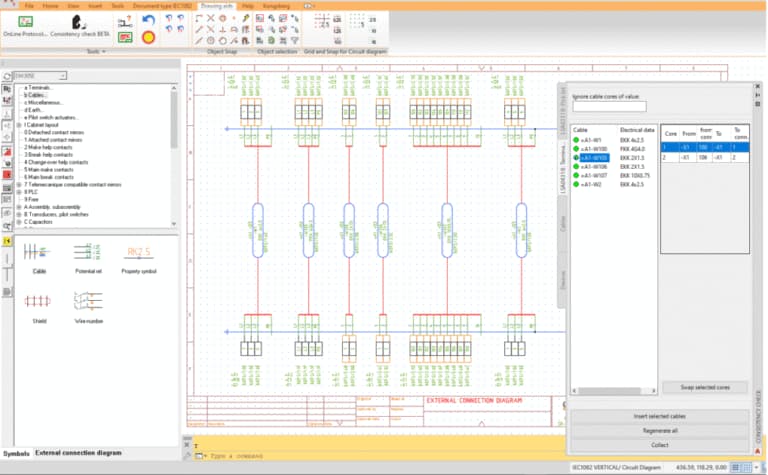
External connection diagram.

cadett ELSA generates intelligent and dynamic external connection diagrams at the touch of a button.

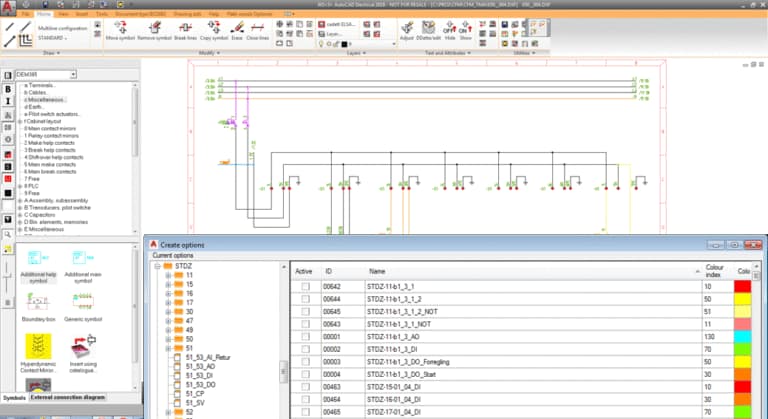
Option manager.

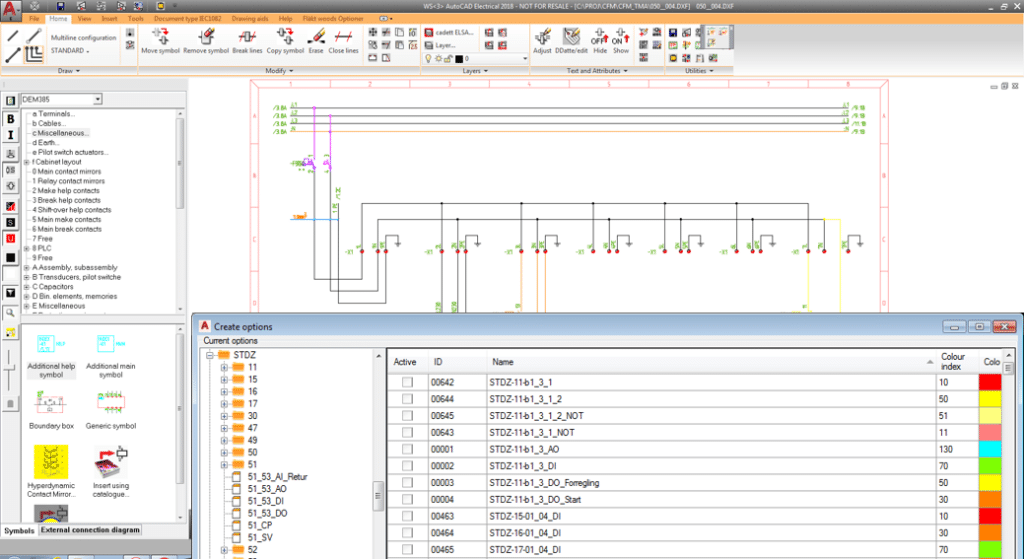
The advanced option manager allows you to streamline the management of documentation with recurring parts. Instead of many different projects with partially identical content, you can create a single project with multiple options that can be combined in any way.

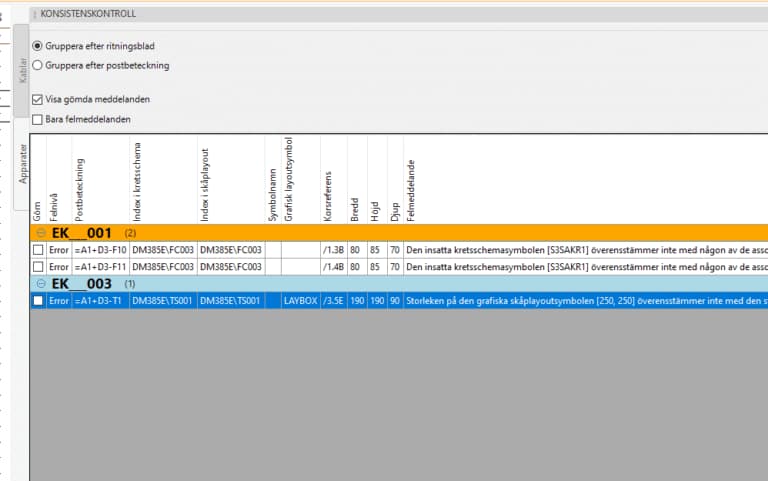
Consistency check.

The consistency check finds otherwise hard-to-detect errors, such as a mismatch between the cabinet layout and the circuit diagram. Not only does it find the errors, it also helps to correct them!

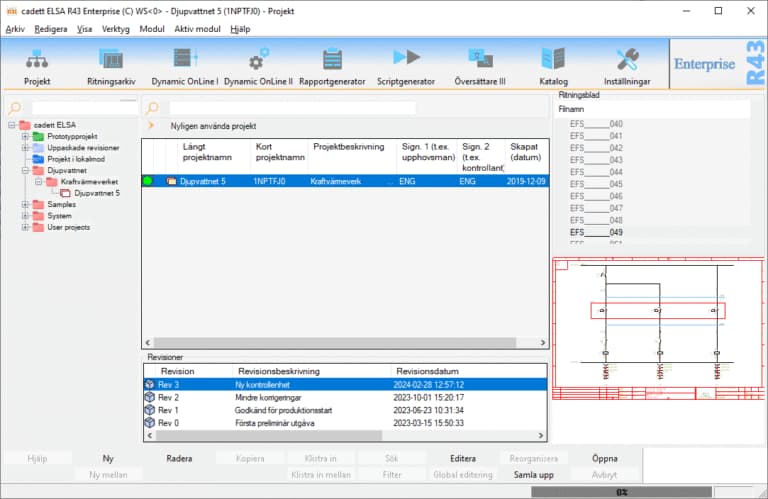
Revision handling

The revision manager keeps track of all previous revisions of your projects. You can view the content of previous revisions at any time, or go back to a previous revision. Lists of all differences between selected revisions are generated automatically, for devices as well as wires and cables. Revisions can also be synchronized with Autodesk Vault and other PDM systems.

PLC.

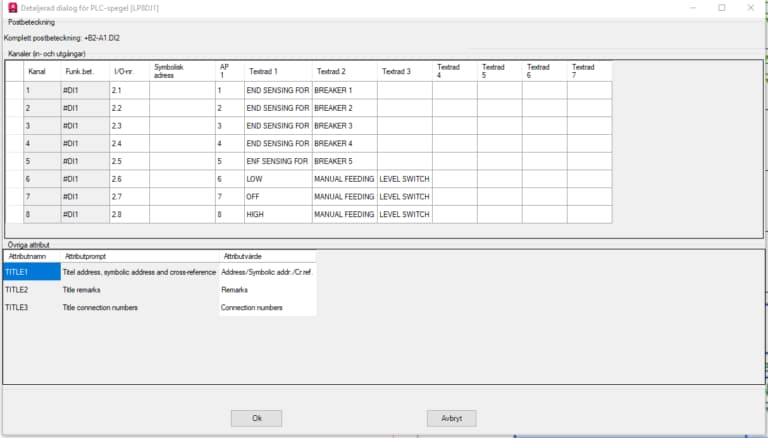
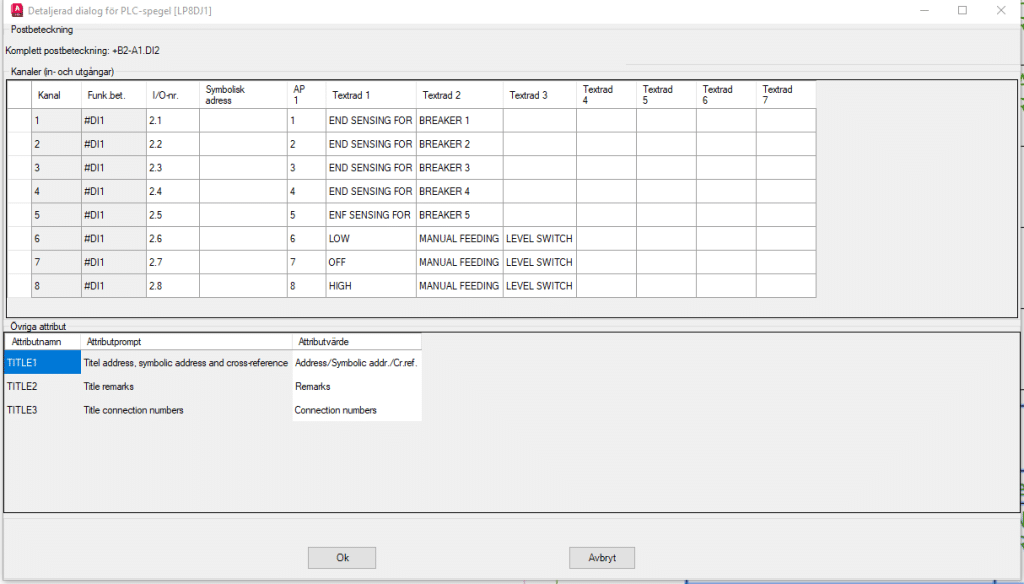
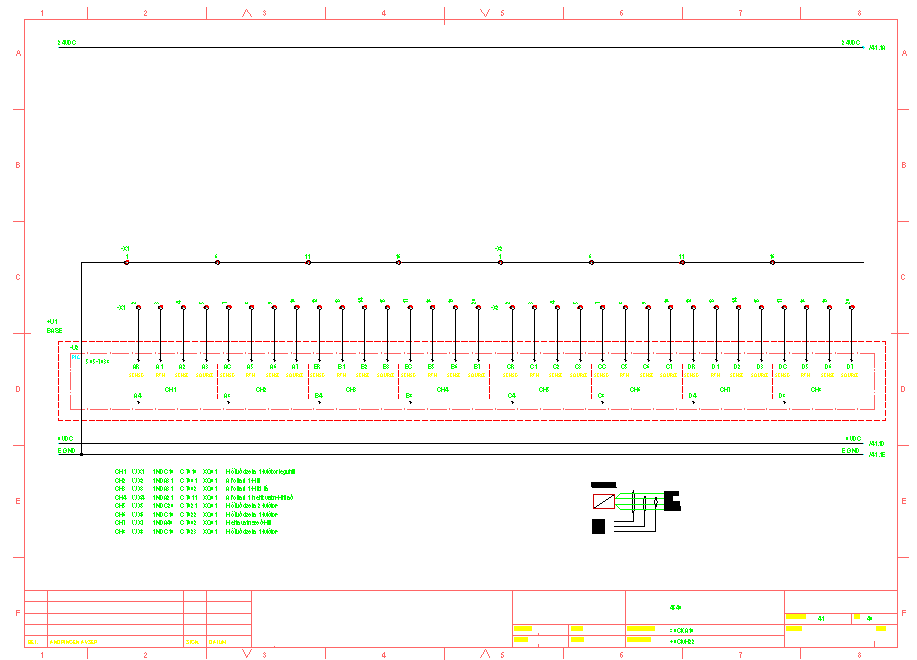
Programmable control systems can be documented clearly and elegantly with both I/O symbols and PLC mirrors. This provides the benefits of both location- and function-oriented documentation at the same time. A built-in audit log for the I/O information makes editing secure. You can retrieve old information at any time, even if you have changed or deleted it. I/O lists can be linked to Excel. Changes you make are reflected everywhere, no matter where you make them.

AI.

Artificial Intelligence - AI - is seen by many as both a threat and a promise. At cadett , we are working hard to develop ways to utilize AI for the greatest benefit of our users. One example of this is a method from Autodesk to manage external changes from hand sketches to update circuit diagrams and other drawing sheets in cadett ELSA. 

Our products.

The link below leads to a full description of our product range.

AutoCAD Electrical integration in cadett ELSA

Elcad and the advanced features

Why choose ECAD systems from cadett ab?

Cooperation and expertise with Autodesk

Customer support for ECAD systems

cadett ELSA LT - Technology at the forefront

Basic automation with built-in true AutoCAD OEM in a very affordable product that can be be purchased or rented for optimal flexibility.

Short facts about cadett AB

  • Your partner for advanced electrical construction
  • Complete system for electrical diagram construction
  • Wide range of services and facilities

Working with Autodesk since the 1980s has given us a wealth of experience and expertise.

Experience and flexibility

cadett combines decades of knowledge with a high degree of customizability to meet your needs in electrical engineering.

Smart features of cadett ELSA

Discover our powerful ECAD-solutions for efficiency and innovation.

Elcad and the advanced features

Use elcad for complex and robust solutions. Our tools are designed to meet the specific needs of elcad schematic.

Why choose ECAD systems from Cadett AB?

We offer the most advanced tools and support for your electrical schematic CAD-work, making us the obvious choice for industry.

Customer support for ECAD systems

Our expertise in the field and long-standing partnership with Autodesk ensures you get the best support and solutions when you need them.

Company

cadett AB is a leading player in the automation industry, with a long history of innovation and quality.

Products

Our products include a wide range of electrical schematic CAD and automated solutions for all needs.

Support

Our customer support is always ready to help you, no matter what challenges you face in your electrical design.

Discover cadett – book a free demo or let us know you’re interested by filling out your information here:

Dynamic table editing

Dynamic table editing

We call it Dynamic OnLine. It provides direct access to device lists, connection tables, terminal tables and cable tables. You can edit the content directly on the screen. Circuit diagram sheets and other documents in the project are updated with your changes at lightning speed, fully automatically.

Equipment list
Connection table
Cable part table
Plinth table
Connection handling

Connection handling

cadett ELSA can make a fully automatic numbering of all wires and then enter the wire numbers into the circuit diagram sheets, just as automatically.

The wiring sequence is automatically optimised according to the physical location of the devices in the cabinet.

You can easily adjust the wiring sequence, numbering and other properties such as colors and dimensions, directly from the wiring table if you wish. Changes are automatically reflected in the circuit diagrams.

The connection information can then be exported to Autodesk Inventor, Solid Edge, Solidworks, and other 3D CAD systems.

Article portal

ARTICLE PORTAL

A cooperation agreement between cadett and CADENAS gives all users of cadett ELSA access to a built-in portal with hundreds of thousands of articles. This makes it easy to search for the right article and then retrieve metadata and symbols for both 2D and 3D layouts and circuit diagrams. Everything is based on the eClass standard, which in turn is based on ISO3584 and IEC1360.

Read more about eClass in the FAQ.

Flexible with options

Customized option handling

The option handler in cadett ELSA allows you to define any number of multi-sheet options that are either active or not. This provides great opportunities for efficiency gains right from the start.

Do you want to build on this, perhaps with a framework and the possibility of external control, for example with a configurator? We will help you set up a solution that is optimized for your specific needs.

Options Management
PLC

PLC

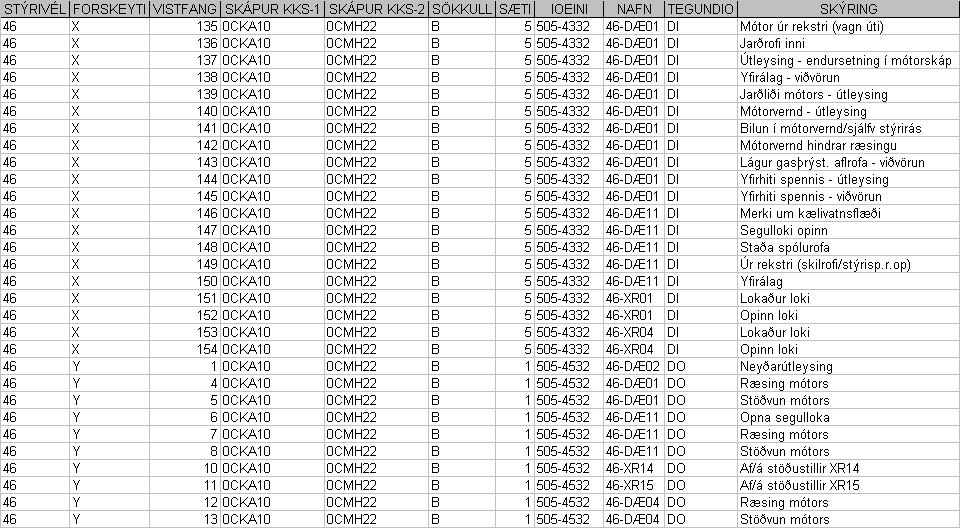
Do you start from I/O lists when creating your documentation? Would you like to automatically generate the body of your circuit diagrams with I/O's, terminals and circuits from these I/O lists?

We create the macros that do the job!

PLC automation

Login

If you don't have a username and password, or if you have forgotten your password, go to "Support" and select "Password request".