|
<< Click to Display Table of Contents >> Multi-terminal definition 4: Delete |
  
|
|
<< Click to Display Table of Contents >> Multi-terminal definition 4: Delete |
|
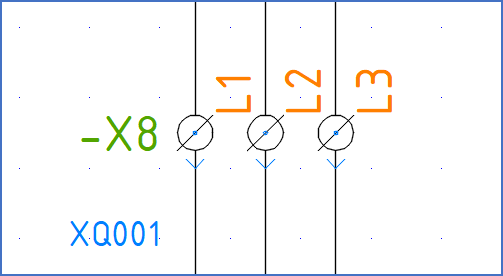
Figure 801: An example of multi-terminals
A Multi-terminal is a user defined terminal.
Multi-terminal definitions are created using the four Multi terminal definitions commands that are available in the Symbols slide-out panel.
When multi-terminal definitions are available, they can be used with the Multi-terminal macro.
Please refer to the Multi-terminals topic that is listed below, where you can find a complete description of how multi-terminal definitions are created and used. The specific description of the Multi-terminal definition 4: Delete command is found in a separate sub-topic listed below. The Multi-terminal macro, which is used to insert multi-terminals, is also listed below.
•Multi-terminal definition 4: Delete