|
<< Click to Display Table of Contents >> Split Elprocad multi-sheet drawing |
  
|
|
<< Click to Display Table of Contents >> Split Elprocad multi-sheet drawing |
|
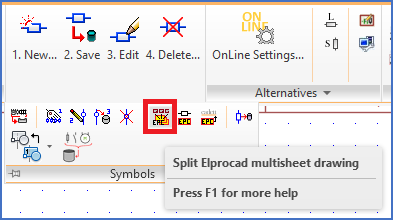
Figure 802: The "Split Elprocad multi-sheet drawing" command is found in the "Symbols" slide-out panel.
This command is part of the Elprocad converter in cadett ELSA.
Please refer to the Elprocad converter topic, which contains a complete description of those features, and more specifically to the Split Elprocad multi-sheet drawing sub-topic, which describes this particular command.
Please refer to the topics that are listed below.