|
<< Click to Display Table of Contents >> Commands in the slide-out panel |
  
|
|
<< Click to Display Table of Contents >> Commands in the slide-out panel |
|
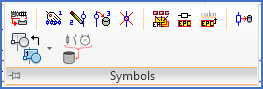
Figure 796: The "Symbols" slide-out panel
The commands found in the Symbols slide-out panel are described in separate sub-topics that are listed below.
•Multi-terminal definition 1: Insert attributes
•Multi-terminal definition 2: Insert graphical symbols…
•Multi-terminal definition 3: Save
•Multi-terminal definition 4: Delete
•Split Elprocad multi-sheet drawing
•Convert single Elprocad symbols
•Convert Elprocad drawing sheets