|
<< Click to Display Table of Contents >> Symbol data stored in drawing sheet |
  
|
|
<< Click to Display Table of Contents >> Symbol data stored in drawing sheet |
|
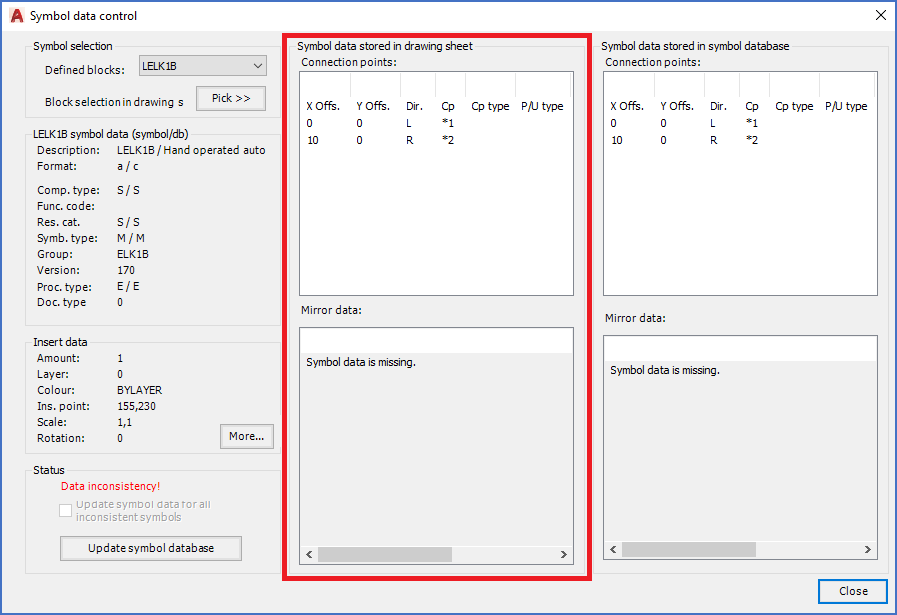
Figure 812: The "Symbol data stored in drawing sheet" section
Symbol data stored in drawing sheet are presented in two sections.
•The top section lists the connection points of the symbol. For a symbol without connection points, like a mirror symbol, there will only be one line in this section, and that line defines the insertion point.
•The lower section is used for mirror symbols only. For them, the "functions" are listed here. The functions corresponds to contacts in contact mirrors, I/O's in PLC mirrors, and cable cores in cable mirrors. For all other symbols, this section is empty, like in the figure above.
The information in both these sections should always be identical in all details with the corresponding sections to the right, that is in the Symbol data stored in symbol database section. Differences are always significant and should result in an action from your part.
When it comes to proper actions when the data mismatches, please refer to xxxxxxxxxx.
Please refer to the two sub-topics that are listed below for a detailed explanation of how the data in these two sections can be interpreted.