|
<< Click to Display Table of Contents >> Multi-terminal definition |
  
|
|
<< Click to Display Table of Contents >> Multi-terminal definition |
|
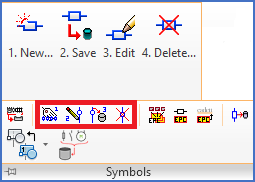
Figure 1616: Four commands are available for maintenance of multi-terminal definitions, all of them found in the "Symbols" slide-out panel of the "Tools" tab in the ribbon menu.
The process of creating a multi-terminal definition consists of three major steps, each handled with a separate command.
•The first step is to insert the attributes. That is done with the 1. Insert attributes command.
•The second step is to define the graphics. You can select among some graphical standard symbols using the 2. Insert graphical symbols... command, or you can create a WBLOCK of your own. Before you continue with the third step, you can then adjust the attributes using any method that you prefer. For example, you can use the Attribute tool.
•The third and final step is to save the complete "package" as a multi-terminal definition. You do that with the 3. Save command, where you specify a name for the definition and saves the entire content under that name.
•A fourth command called 4. Delete allows you to delete unwanted multi-terminal definitions.
Please refer to the sub-topics listed below, one for each command.
2. Insert graphical symbols... (or create your own)