|
<< Click to Display Table of Contents >> More... |
  
|
|
<< Click to Display Table of Contents >> More... |
|
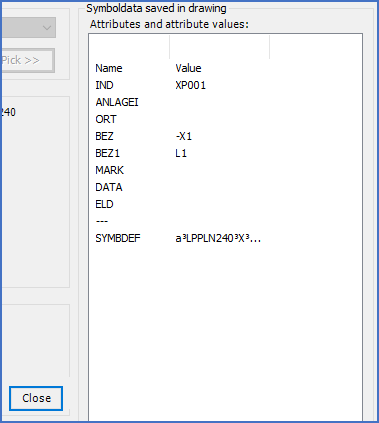
Figure 809: The "More..." button gives access to additional information about the selected symbol.
When the More... button is pressed, a section named Attributes and attribute values is displayed, as shown in the figure above.
This section contains a list of all attributes in the selected symbol, with both their attribute names (tags), and their current values. This information may be used as an additional tool for identification in the case of ambiguity, or as a means of presenting otherwise invisible attribute data.
You exit this presentation mode by pressing the Close button that is displayed down to the left of the list, as shown in the figure above.