|
<< Click to Display Table of Contents >> Selection of objects to import, part 2 |
  
|
|
<< Click to Display Table of Contents >> Selection of objects to import, part 2 |
|
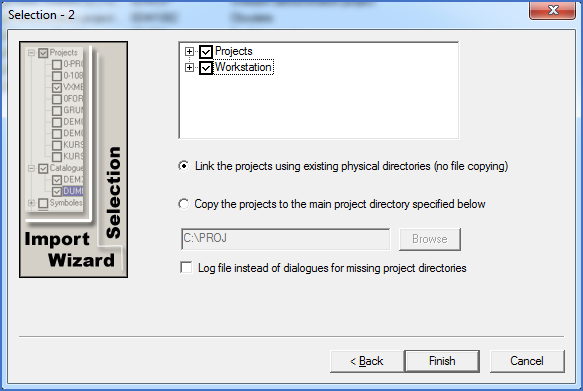
Figure 2540: Selection of projects and workstation settings
The next dialogue gives you the opportunity to select which projects to import, how that should be made, and what kind of workstation prototype settings you would like to import. Please refer to the detailed description that follows, for more specific information.
For projects, there are a couple of special selection possibilities available. Directly below the object-window, you will find two radio-buttons and one check-box to control this:
•Link the projects using existing physical directories (no file copying)
In the most common update situation where you install the new version “on top” of an old one, you would typically select this option, which is described in detail here.
•Copy the projects to the main project directory specified below
This option is not as commonly used, but it is nevertheless described in detail here.
•Log file instead of dialogues for missing project directories
With this check-box, you can control what should happen during project import for projects where the project directories are missing. Either you get a dialogue box asking you what to do for each such case, or the import will simply carry on after making a note in a log file.
Please beware that these dialogue boxes can be very annoying, if the number of projects with missing directories is large. Therefore, the log file option is strongly recommended.
A detailed description of these options is found using this link.
How you continue after making your choices is described in the next topic, which is listed below.