|
<< Click to Display Table of Contents >> Log file instead of dialogues for missing project directories |
  
|
|
<< Click to Display Table of Contents >> Log file instead of dialogues for missing project directories |
|
This check-box is valid for the Copy alternative only. When used for the Link alternative, it has no effect at all.
When projects are imported using the Copy alternative, you may run into a not very uncommon situation, where the directories of one or many projects are simply missing. For example, projects may have been incorrectly deleted, in the sense that the project directories may have been deleted manually, instead of using the features of the Project Module, which of course would have been the correct way.
Either a dialogue is presented for each such case, or the import simply skips such projects and continues with the rest of the projects. Information about the skipped projects are in that case written to a log file named SkippedProjects.log located in the Logs subdirectory of the workstation directory (typically C:\ELSAWSx\Logs or similar).
In the dialogue alternative, a dialogue is displayed for each project where the directories are missing. The figure below shows that dialogue.
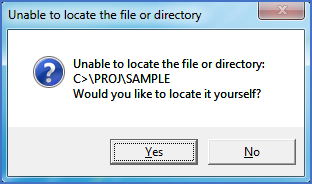
Figure 2555: The dialogue that is displayed for each project with missing directory
In the dialogue a question is presented. You select whether you want to locate the directory yourself or not.
•If you click the Yes button, a browser will be displayed with which you can locate the project directory manually. This is useful if the project is located somewhere else than where the import expected to find it. In that way, the project in question can still be imported. Please note however, that it may be very time-consuming to handle these dialogues if the number of projects is large. It is therefore in most cases recommended to instead use the log file alternative.
•If you click the No button, the project in question will be skipped and thereby not imported. It will therefore disappear from the tree structure and never appear again, unless you take additional actions of some kind.
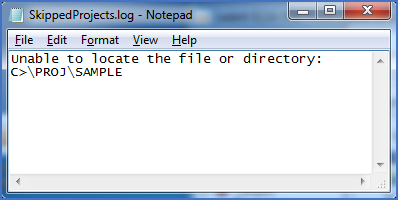
Figure 2556: The log file for the same situation as shown in the previous picture, but where dialogues are not used.