|
<< Click to Display Table of Contents >> Report definitions |
  
|
|
<< Click to Display Table of Contents >> Report definitions |
|
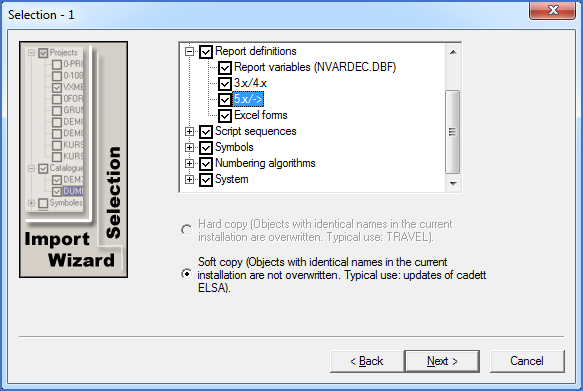
Figure 2547: Selection for import of Report definitions, Report variables and Excel forms
Here you will find four subgroups:
•Report variables from the NVARDEC.DBF variable declaration database
•Older type Report definitions from cadett ELSA 3.X, 4.X and early revisions of cadett ELSA 5.0, and from MG-CAD 4.2NT and previous versions.
•Contemporary report definitions (REP files), which are used in cadett ELSA 5.0 and later, and in MG-CAD 2000.
•Excel forms used in the current generation of the Report Generator.
Importing Report variables means that user-defined Report variables are imported to the new installation. The new installation has priority, meaning that the Report variables that already exist in the new installation will not be overwritten. (The import is “soft”).
For Report definitions of old and current type, you can select to import all of them or to import none of them. (You can take care of the imported reports later in the Report Generator, both old and new). The import of new Report definitions is soft, meaning that any changes made to standard Report definitions are lost, while user defined Report definitions are imported unchanged.
When importing contemporary Report definitions (5.X/->), the FMT forms used for text and Excel reports will be imported as well. That import will also be soft, meaning that any changes made to standard forms will be lost, while user defined Report definitions will be imported unchanged.
Excel forms are imported using an identical principle. Any changes made to standard Excel forms will be lost, while user defined Excel forms will be imported unchanged.