|
<< Click to Display Table of Contents >> Remove hardware lock reminder |
  
|
|
<< Click to Display Table of Contents >> Remove hardware lock reminder |
|
During the installation process of cadett ELSA, appropriate drivers for hardware locks are automatically installed. For USB locks, you must ensure that the lock is not physically connected when this happens. Therefore, a reminder will be displayed, as shown in the picture below.
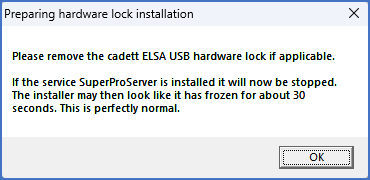
Figure 2325: Reminder that no hardware lock must be connected during installation
Please check that there is no USB lock connected to your computer, and if there is, please disconnect it.
Then click OK.
The next step is described in the topic listed below.
•Main directory of cadett ELSA