|
<< Click to Display Table of Contents >> Possible warnings caused by previous installation |
  
|
|
<< Click to Display Table of Contents >> Possible warnings caused by previous installation |
|
When proceeding after the type of installation has been selected, a warning will be issued if an installation of cadett ELSA already exists on the computer.
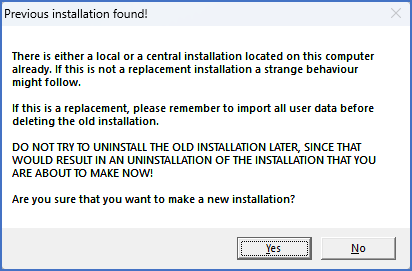
Figure 2323: This warning is issued if an installation of cadett ELSA already exists on the computer.
The reason for the message is that, without special arrangements, it is not possible to have multiple installations of cadett ELSA running on the same computer at the same time. When creating a new cadett ELSA installation, any old installation on the same computer will stop working. If you are updating an existing installation of cadett ELSA, this is of course perfectly normal and nothing to worry about.
After confirming this warning with the Yes button, another one appears, if an installation of cadett ELSA is already present on the computer.
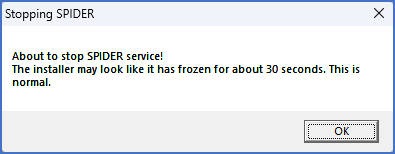
Figure 2324: Message informing that the Spider service will be stopped.
That is a message telling you that the Spider service will be stopped. To be able to replace an existing installation, no files in it may be in use. Therefore the Spider database server service must be stopped.
No actions are required because of this information. When applicable, simply confirm and continue with the installation.
The next step in the installation is described in the topic listed below.
•Remove hardware lock reminder