|
<< Click to Display Table of Contents >> Workstation |
  
|
|
<< Click to Display Table of Contents >> Workstation |
|
The Workstation group is divided in two sub-groups, as shown in the figure below.
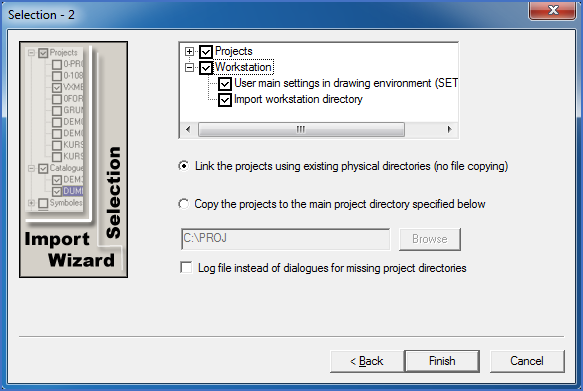
Figure 2557: The "Workstation" group contains two sub-groups.
Both sub-groups refer to workstation directory related objects. The workstation directory in question is the prototype directory used when creating new workstations. (Typically this prototype directory is named X:\ELSA\WS or similar).
For local installations, new workstations are typically never created. The one created when the software is installed is the one that will be used for all eternity, or until you buy a new computer and reinstall your software there. (It is typically named C:\ELSAWS0).
In network installations, creating new workstations is however a common event. Therefore, the prototype workstation directory content is of great importance.
•User main settings in drawing environment (SETUP.SCR)