|
<< Click to Display Table of Contents >> Import license file |
  
|
|
<< Click to Display Table of Contents >> Import license file |
|
Using one of the methods described in the end of the Add a serial number sub-topic, you will get a license file. To start using that license file, you must import it to the license server.
Save the license file in a suitable directory that can be reached by the server, like for instance the desktop. With the Import license file button, you can then import it.
Please refer to the figure below.
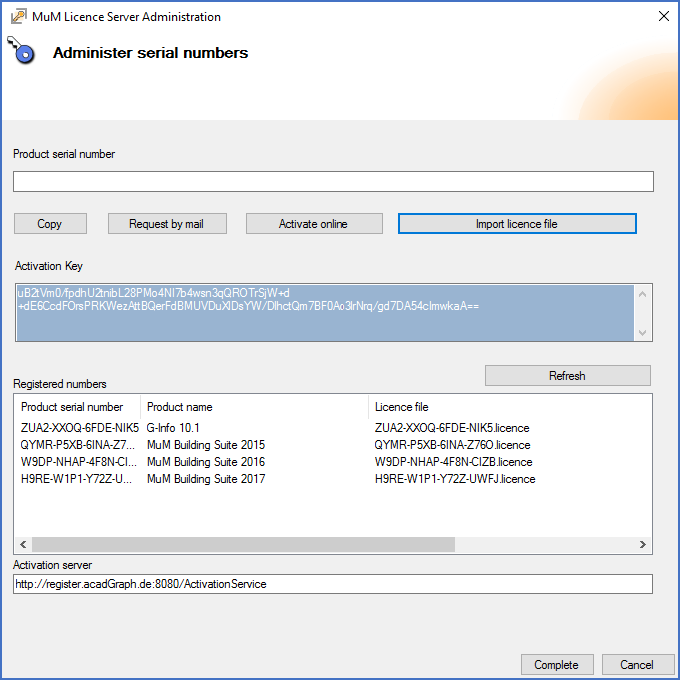
Figure 2565: Example where multiple serial numbers have been imported
The serial numbers that you have imported are listed in the Registered numbers section of the dialogue box, as shown in the figure above.
Any number of serial numbers may be imported.
When the import is finished, you can close the tool using the Complete button in the lower right corner of the dialogue box.
The activated or imported serial number are then available to use by the workstations.