|
<< Click to Display Table of Contents >> Firewall configuration |
  
|
|
<< Click to Display Table of Contents >> Firewall configuration |
|
If the license server is installed on a server, which is the normal case, the firewall of that server must allow communication between the license server and the workstations. Otherwise, the workstations will not be able to get licenses from the license server.
The firewall configuration is extremely simple.
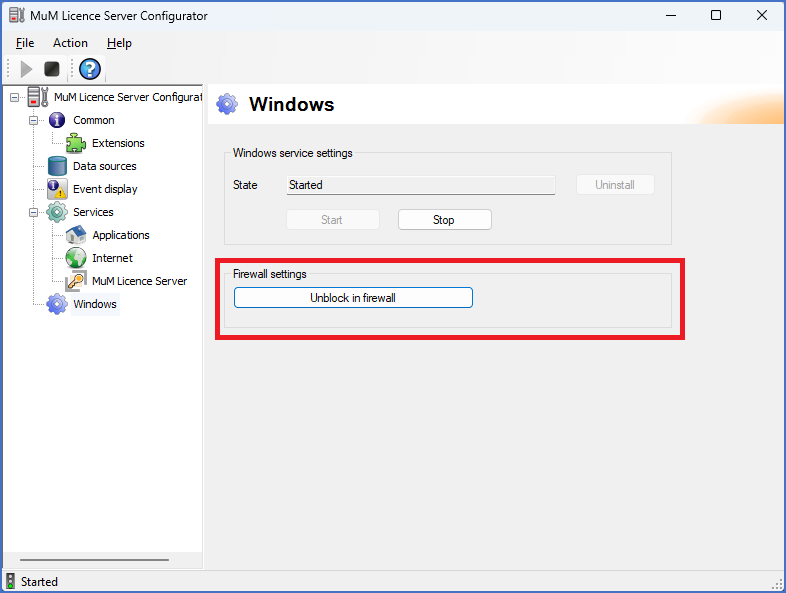
Figure 2529: Opening the firewall for the license server
The only thing that you must do, is to click the Unblock in firewall button in the Firewall settings section of the dialogue box, as shown in the figure above.
When the service is running like shown in the figure above, you can close the MuM Licence Server Configurator, using the X in the upper right corner.