|
<< Click to Display Table of Contents >> The “Object selection” panel |
  
|
|
<< Click to Display Table of Contents >> The “Object selection” panel |
|
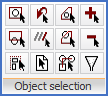
Figure 847: "Object selection"
In the Object selection panel, you find ordinary AutoCAD object selection tools, such as Window and Crossing. These special selections are seldom needed, since a flexible object selection is embedded in all commands. You can pick an object directly, you may drag a window to the right to get a Window, and you may drag a window to the left and it will turn into a Crossing. This covers most needs. In some situations however, additional options might be needed, and here you will find them.
The Object selection panel does not have a slide-out panel. All commands are directly visible and explained in sub-topics that are listed below.
•Last
•All
•Add