|
<< Click to Display Table of Contents >> The installation is completed |
  
|
|
<< Click to Display Table of Contents >> The installation is completed |
|
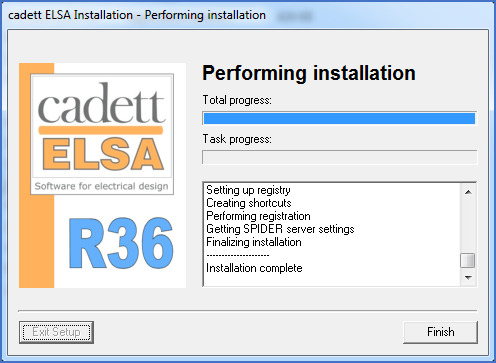
Figure 2336: The installation is really completed.
The Finish button, which has been greyed out during the entire installation process, will suddenly be available. In the information window, you will see that the installation is ready.
Please note that before the dialogue shown in the figure above is displayed, with the active Finish button in the lower right corner, the installation is in fact not ready, and you cannot start using it.
Click the Finish button.
The local installation is then completed, but a few steps remain anyway. Please refer to the topic listed below.
•Connect to license manager or hardware lock