|
<< Click to Display Table of Contents >> Spider |
  
|
|
<< Click to Display Table of Contents >> Spider |
|
Spider is the database server that handles the Catalogue databases, the Translator Lexicon databases, the Symbol Databases and much more. It is implemented as a so-called service.
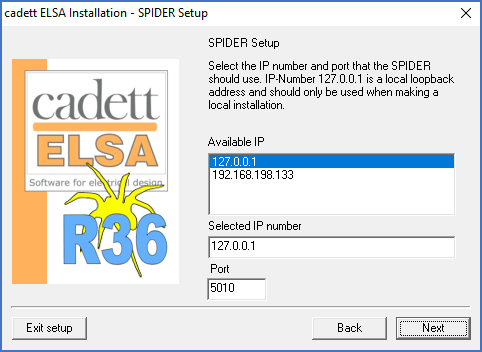
Figure 2330: Settings for Spider
You specify all the necessary configuration information for Spider here.
Since this is a local installation, the Spider program will be installed locally on your computer. Therefore, please select the IP-number 127.0.0.1 which is a so-called “local loop back address”. The port can be set to 5010.
In a local installation, you should not use any other alternative than 127.0.0.1.
After the specifications for Spider have been done, please continue as described in the topic listed below.