|
<< Click to Display Table of Contents >> Selection of installation to import from |
  
|
|
<< Click to Display Table of Contents >> Selection of installation to import from |
|
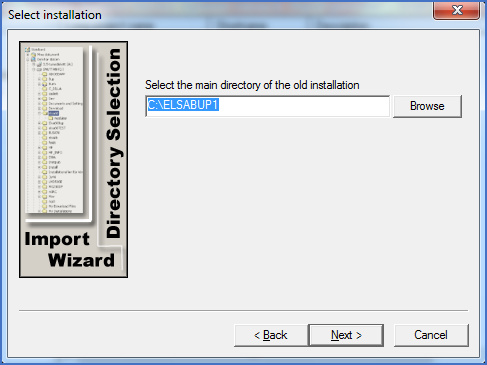
Figure 2539: Selection of main directory of the installation to import from
Here you specify the main directory of the installation that you would like to import user data from.
If you have installed “on top of” an old installation, the renamed directory of the old installation will be pre-selected. If not, you have to manually type or select the main directory name of the old installation from which you would like to import data.
You can type the directory name or browse the directory tree with the Browse button.
Please note that the installation to import from does not have to be a functioning installation or one in use. It can even be a backup copy of an old installation that does not necessarily need to be placed in its original location.
However, if you select a working installation, nobody must use it when the import takes place. If anybody is running a workstation connected to the cadett ELSA that you import from, the import itself will not be prevented, but reading some of the data to import will. For example it will not be possible to import data from any catalogues in use.
When you have selected the installation to import from, click the Next > button.
The next step is described in the following topic, which is listed below.
•Selection of objects to import, part 1