|
<< Click to Display Table of Contents >> Possible problem when renaming existing directory |
  
|
|
<< Click to Display Table of Contents >> Possible problem when renaming existing directory |
|
If you are updating an existing installation by making a new installation in the same directory as the old installation – which is generally a good idea – a problem might occur when the old directory is renamed to make room for the new installation and to create a backup in one single operation.
The renaming of the existing directory – if one exists – may fail. If that happens, the message shown in the figure below will be displayed.
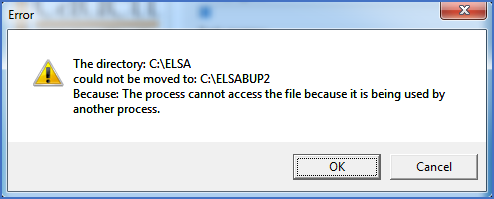
Figure 2332: Error message displayed if renaming existing directory fails
If so, it is in most cases not necessary to abort the installation. If you can find the reason for the problem and solve it, you can simply click the OK button afterwards. The renaming will then be retried. If successful, the installation procedure will continue as if nothing had happened. If not successful, the message will turn up again, giving you yet another chance to solve the problem.
For local installations, this kind of problem is relatively rare, but it happens from time to time. The most common reason is that a program of some kind is locking one of the files in the cadett ELSA installation. For example Microsoft Excel, Notepad, Windows File Explorer, The Command Prompt or similar could have been used to check something in the old installation before the installation was started. If so, simply exit the program in question.
If you fail to find the reason, an effective solution in most cases is to restart your computer.
Please continue with the installation as described in the topic listed below.
•Files are copied and the program is registered