|
<< Click to Display Table of Contents >> PLC basics |
  
|
|
<< Click to Display Table of Contents >> PLC basics |
|
The basics of the PLC features of cadett ELSA are as follows:
▪I/O’s are represented by help symbols, so-called "I/O symbols". Each I/O corresponds to one such symbol. Please refer to the figure below, which shows two such I/O symbols.
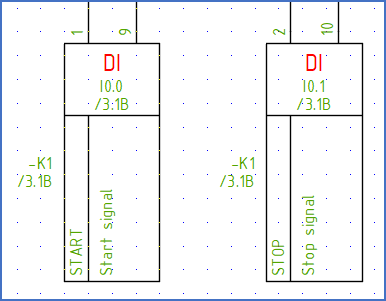
Figure 1696: Two I/O symbols for digital inputs with two connection points each
▪Each PLC is represented by a main symbol with an index. The main symbol may also contain common connection points, like power feeding and similar. Please refer to the figure below, where a PLC main symbol is placed on the top.
▪I/O’s can be mirrored using so-called "PLC mirrors". Such a PLC mirror can symbolise an arbitrary number of I/O’s. However it is most common to have one mirror symbol representing each I/O card. Multiple PLC mirrors may be used for the same PLC main symbol. Please refer to the figure below, which shows a PLC main symbol on top and a PLC mirror below.
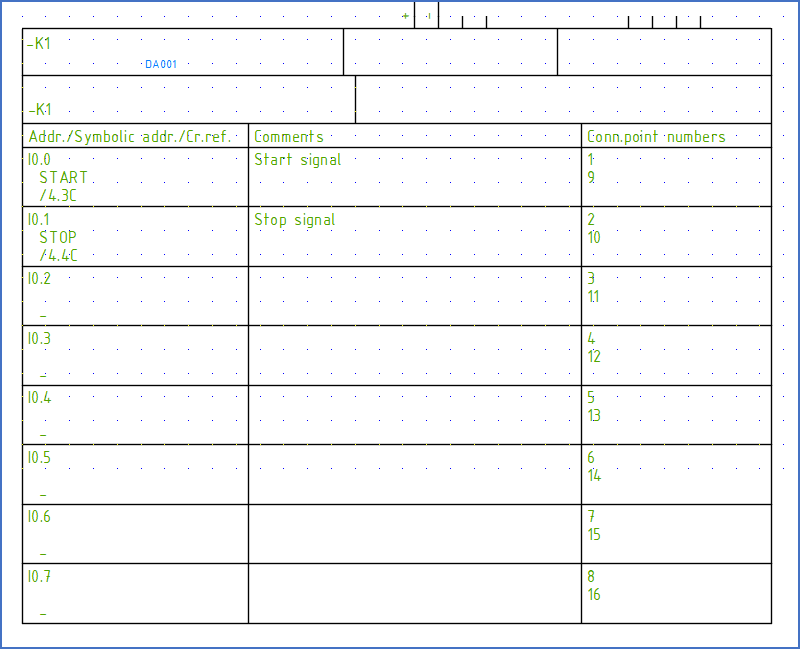
Figure 1697: Here, a PLC mirror is placed directly below a PLC main symbol. This PLC mirror contains 8 digital inputs with 2 connection points each.
The PLC main symbol, the PLC help symbols and the PLC mirrors are linked to each other with a common item designation, in the same way as coils, help contacts and contact mirrors.
When an I/O symbols is edited, the changes that are made are automatically transferred to the corresponding PLC mirror.
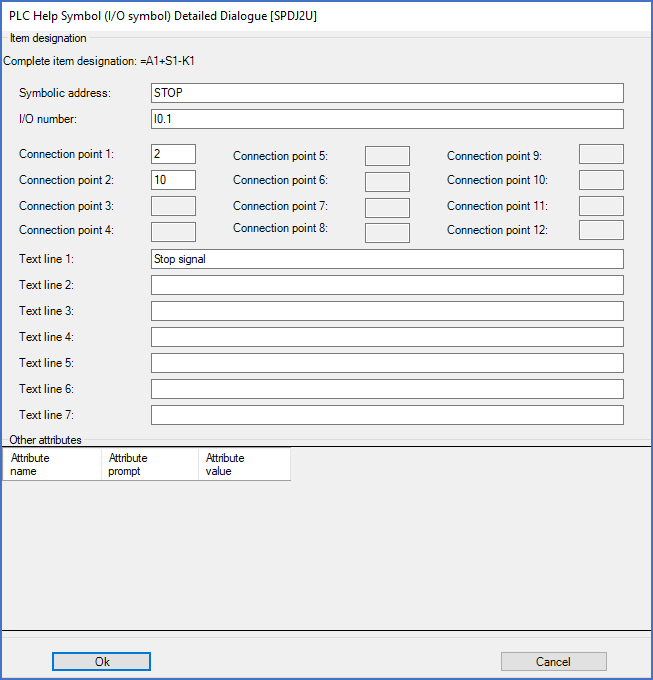
Figure 1698: This dialogue box is displayed when editing an I/O symbol
In the same way, when a PLC mirror is edited, the changes that are made are automatically transferred to the corresponding I/O symbols.
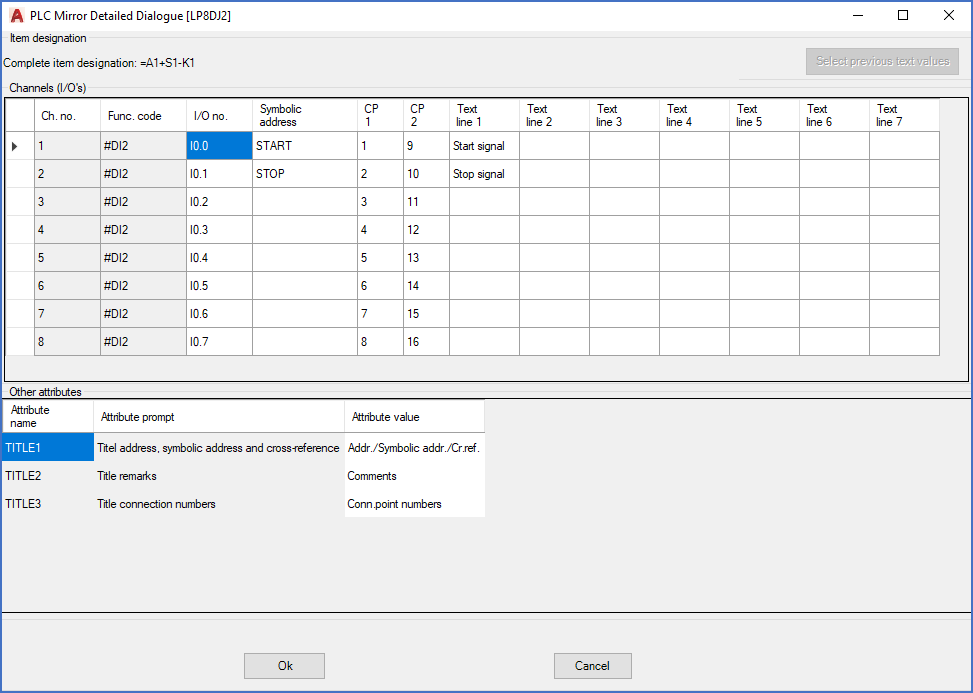
Figure 1699: This very effective dialogue box offers extensive and practical functionality for PLC mirror editing
Specially designed PLC dialogue boxes are presented for both I/O symbols and PLC mirrors, which makes editing effective and user friendly. Please refer to the two figures above, which shows those dialogue boxes.
An open interface enables export and import of PLC data to and from external sources.