|
<< Click to Display Table of Contents >> Install the update |
  
|
|
<< Click to Display Table of Contents >> Install the update |
|
The update procedure differs depending on the type of installation.
If you are unsure what kind of installation you have, please start cadett ELSA and check the workstation code that is presented on top. If it is zero, you have a local installation. If it is not zero, you have a network installation.
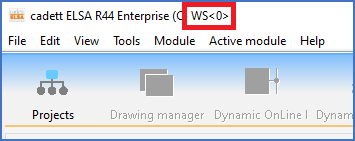
Figure 2427: The workstation code is zero (WS<0>), which means that this is a local installation.
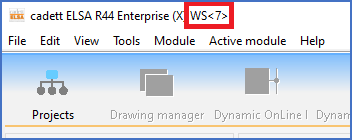
Figure 2428: The workstation code is not zero (in this case "7"), which means that this is a network installation.
Please refer to the applicable sub-topic listed below.
•Local installations (without server)
•Network installations (including thin client solutions)