|
<< Click to Display Table of Contents >> Dialogue box for symbol libraries |
  
|
|
<< Click to Display Table of Contents >> Dialogue box for symbol libraries |
|
The import as a whole is made more or less “silent”, meaning that no questions are asked during the process, which may take some time to finish. However, during symbol library import, which takes place in the beginning of the overall process, one dialogue box is displayed, if you have selected to import settings.
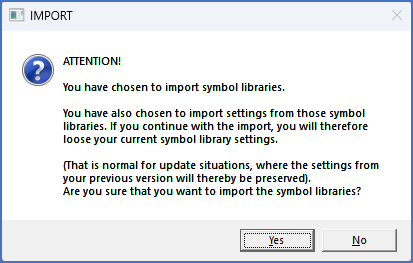
Figure 2551: Dialogue box giving you the opportunity to cancel import of symbol libraries
So, provided that you have selected to import the settings for one or many symbol libraries, a warning will be issued during the import process itself before the actual import is made. Please refer to the figure above, which shows the message box in question. The reason for this message is to make the user aware of the fact that the current Drawing Environment settings will be overwritten with data from the installation from which import is made, which of course is the correct thing to do when making an update.
Please click the Yes button to perform the selected import. If you on the other hand would click the No button, all symbol libraries would be omitted from the import, leaving you without your user defined symbols. If you accidentally end up in that situation, you can simply run the import again, and click Yes instead.