|
<< Click to Display Table of Contents >> Purge |
  
|
|
<< Click to Display Table of Contents >> Purge |
|

Figure 747: The "Purge" command
This is the standard AutoCAD PURGE command, which removes unreferenced definitions from the drawing sheet, thus reducing file size and improving performance.
A dialogue box like shown in the figure below is displayed. There, you can control which items to remove from the drawing sheet.
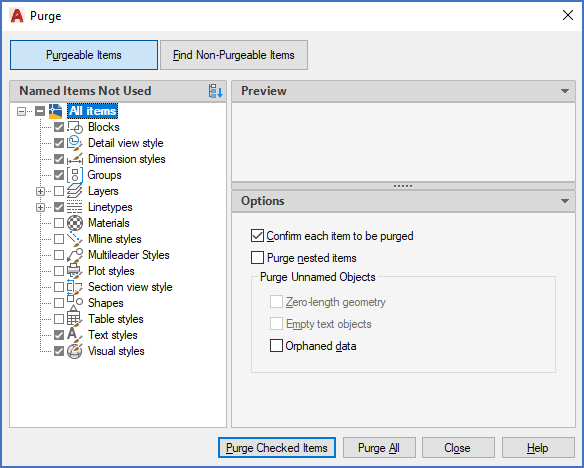
Figure 748: The "Purge" dialogue box