|
<< Click to Display Table of Contents >> Exit |
  
|
|
<< Click to Display Table of Contents >> Exit |
|

Figure 749: The "Exit" command
This command exits the Drawing Environment. A dialogue box as shown in the figure below is displayed.
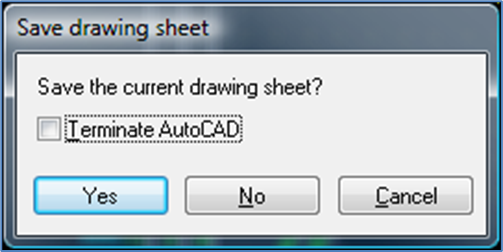
Figure 750: This dialogue box is presented when you enter the "Exit" command
In the dialogue box, you can select whether the current drawing sheet should be saved or not.
You answer the question either by Yes to save, by No not to save, or by Cancel not to exit at all. This behaviour is not surprising in any way and completely in line with other Windows applications. When you exit the Drawing Environment in this way, you will return to the Drawing Manager.
A special thing in the cadett ELSA dialogue box, however, is the opportunity to select whether AutoCAD should be terminated or not.
•If Terminate AutoCAD is activated, AutoCAD will be turned off.
•If this feature is not activated, AutoCAD will not be turned off but will instead be minimized.
The advantage with the latter alternative is that you avoid the additional delay that occurs when AutoCAD must be restarted. In other words, this results in better performance and thereby gains time.
For that reason, it is recommended not to terminate AutoCAD in most cases. There are some relatively rare situations where it is advantageous to terminate AutoCAD, but in those cases, you simply activate Terminate AutoCAD.