|
<< Click to Display Table of Contents >> Local hardware lock troubleshooting |
  
|
|
<< Click to Display Table of Contents >> Local hardware lock troubleshooting |
|
If the local hardware lock is not working, there can typically only be two explanations. The lock is either not working properly or the program is not communicating with the lock in the correct way.
Which one of these two main reasons that is causing the trouble you are experiencing can easily be settled right from the start, since the error messages are different.
In the two pictures below, the two most common error messages are shown.
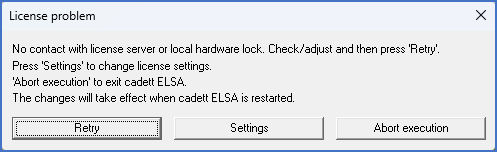
Figure 2463: No contact with the hardware lock.
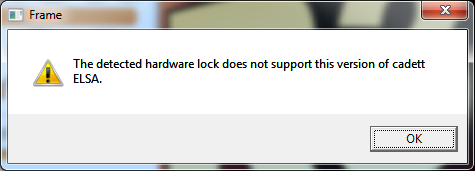
Figure 2464: Hardware lock communication is fine but the lock is not.
If cadett ELSA fails to communicate with the hardware lock, the error message will look like shown in the first figure above. Possible causes for the error message can then be:
•The hardware lock is not connected. Investigate if the lock is properly attached to the USB port.
•The USB port is not working. Check the configuration of the USB port in the computer BIOS setup first. The reason might be simple - the USB port may be inactivated.
•The computer has not detected that the hardware lock is connected. Try connecting it to another USB port.
•The hardware lock is not working properly. It could have been damaged by for example static electricity. If you have several licenses, you can try to swap locks with a working workstation and see if the problem follows the lock, to determine if this is the case.
•The hardware lock driver is not properly installed or is not running properly. Investigate if the driver is installed. If it is not working properly, you can try to install the driver manually, possibly after uninstalling it first.
If the communication with the hardware lock is working as it should, but the license in the lock is not the one you are trying to use, you will get an error message like the one shown in the second figure above.
•The hardware lock is intended for an older version of cadett ELSA than the version you are trying to use, or for a different product. The error message will tell you so in that case.