|
<< Click to Display Table of Contents >> Insert sub-circuits |
  
|
|
<< Click to Display Table of Contents >> Insert sub-circuits |
|
Basically you insert sub-circuits in the same way as you insert ordinary symbols. An important difference is that a sub-circuit may consist of a large number of symbols. Therefore you might also be faced with a large number of dialogue boxes, one for each symbol. Alternatives to the extensive OK-clicking that can follow are however available.
The first step is to double-click a sub-circuit in the same way as you double-click any ordinary symbol. (You can also use the drag-and-drop option).
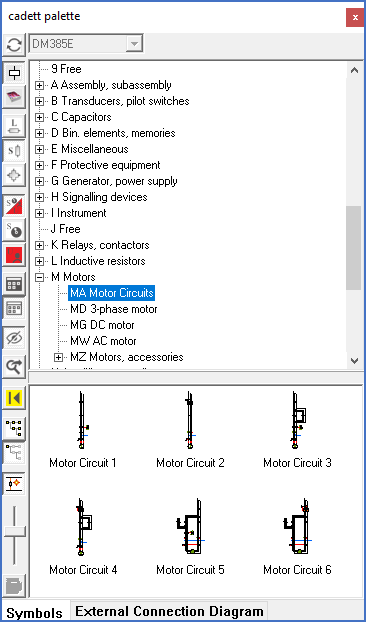
Figure 1243: Sample motor circuits
In the IEC1082 symbol library you will find some ready-to-use motor circuits in Resource category MA (Motor Circuits). They are suitable for testing.
Secondly you place the circuit that you have selected where you want to have it, also that in the same way as for ordinary symbols.
Depending on the content of the sub-circuit the behaviour will then vary somewhat. Here a typical situation with a sub-circuit containing a large number of symbols will be described. (If the sub-circuit contains only a few symbols or no symbols at all, some dialogues are omitted).
The Selection of edit mode dialogue will turn up.
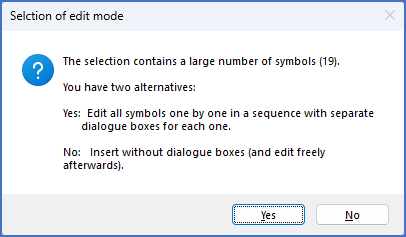
Figure 1244: The "Selection of edit mode" dialogue
You can select one of two available edit modes:
•Answering the question you are given with Yes will give you one dialogue for each symbol.
•Answering the question with No will insert the entire sub-circuit without any dialogues. Any changes that you might want to do then have to be made afterwards.
Then a dialogue about generation of item designations turns up.
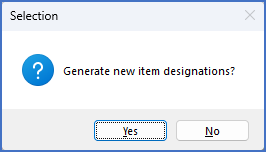
Figure 1245: Should new item designations be generated or not?
Once again you have two options:
•Answering the question with Yes will create new item designations for all main symbols contained in the sub-circuit with any attached help symbols following these.
•Answering the question with No will insert the sub-circuit with all attributes completely un-touched, even if that results in conflicts with existing symbols elsewhere in the project.