|
<< Click to Display Table of Contents >> Import user files from an older workstation |
  
|
|
<< Click to Display Table of Contents >> Import user files from an older workstation |
|
If there already is at least one workstation installed on the current computer, the Import user files from old workstation alternative will be enabled, meaning that it will be possible to use. The figure below shows the check-box that controls whether to use this feature or not.
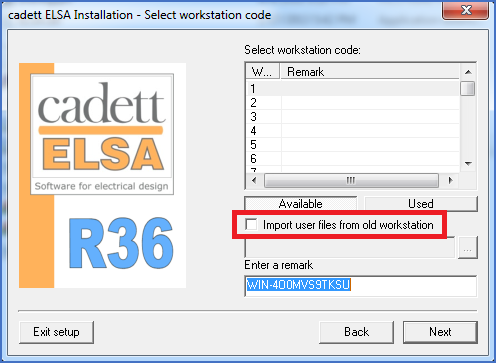
Figure 2380: "Import user files from old workstation"
If you activate this function, you will be able to select an existing workstation directory from which local Script sequences and local Report definitions will be copied to the new workstation that is created.
Regardless whether you activate the import or not, the next step thereafter is described in the topic that is listed below.
•Specifying the workstation directory