|
<< Click to Display Table of Contents >> Block update drop-down menu |
  
|
|
<< Click to Display Table of Contents >> Block update drop-down menu |
|
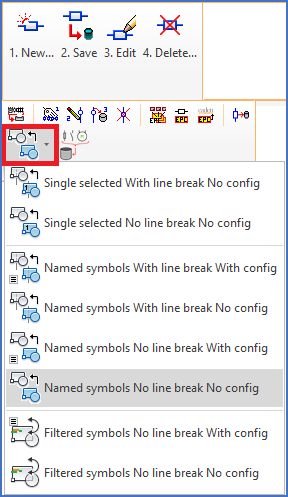
Figure 812: "Block update" commands in the "Symbols" panel of the "Tools" tab in the ribbon menu
The Block update commands are used to replace one or multiple symbols with new versions of the same symbols, or with entirely different symbols. A separate topic listed below contains a complete description of these commands. Please refer to the link below.