|
<< Click to Display Table of Contents >> Technical details about sub-circuits |
  
|
|
<< Click to Display Table of Contents >> Technical details about sub-circuits |
|
A sub-curcuit is mainly an ordinary WBLOCK (a DWG file), but it contains a couple of additional objects, which a simple WBLOCK would not, but which a cadett ELSA symbol always does.
There are two additions, namely a couple of attribute definitions, both invisible (placed in the HIDE layer):
•SYMBDEF
•SYMROTATION
The SYMBDEF attribute contains a backup of the information about the sub-circuit that is stored in the symbol database, for example Description and Resource category.
The SYMROTATION attribute contains information about the rotation of the Symbol object. It is used to present the Symbol object in exactly the same position as when the sub-circuit was created if you would edit the sub-circuit at a later time.
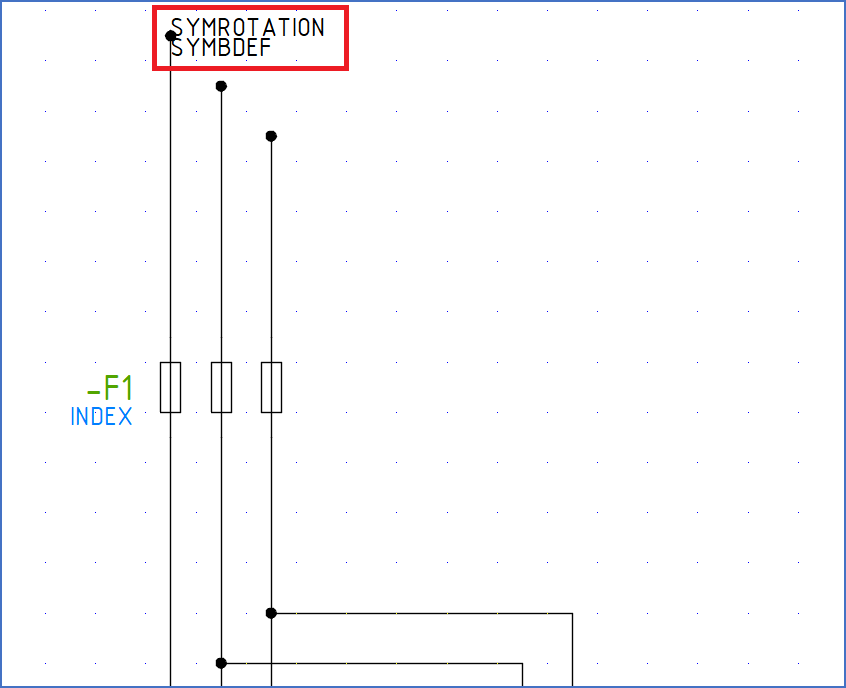
Figure 1190: If a sub-circuit is first inserted using the "Raw insert" command, then exploded with the "EXPLODE" command, and the "HIDE" layer is thawed and turned "ON", the two mentioned attribute definitions will be visible.