|
<< Click to Display Table of Contents >> Add to group |
  
|
|
<< Click to Display Table of Contents >> Add to group |
|
Select the group to which you wish to add the project. Then click the Add to group button. The project is immediately added to the selected group.
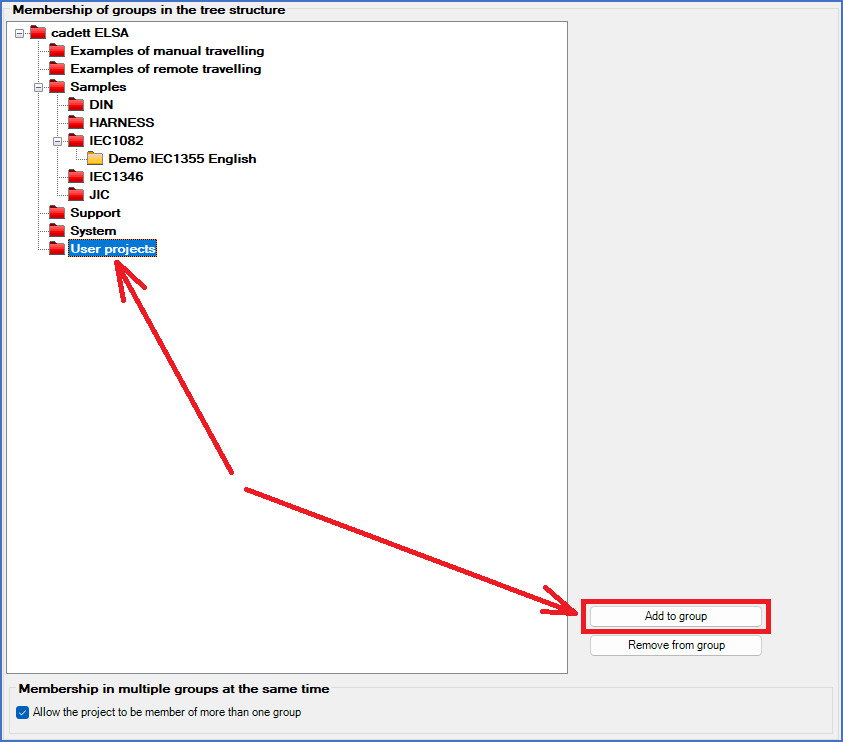
Figure 501: Select the group to which you want to add the project. Then click the "Add to group" button.
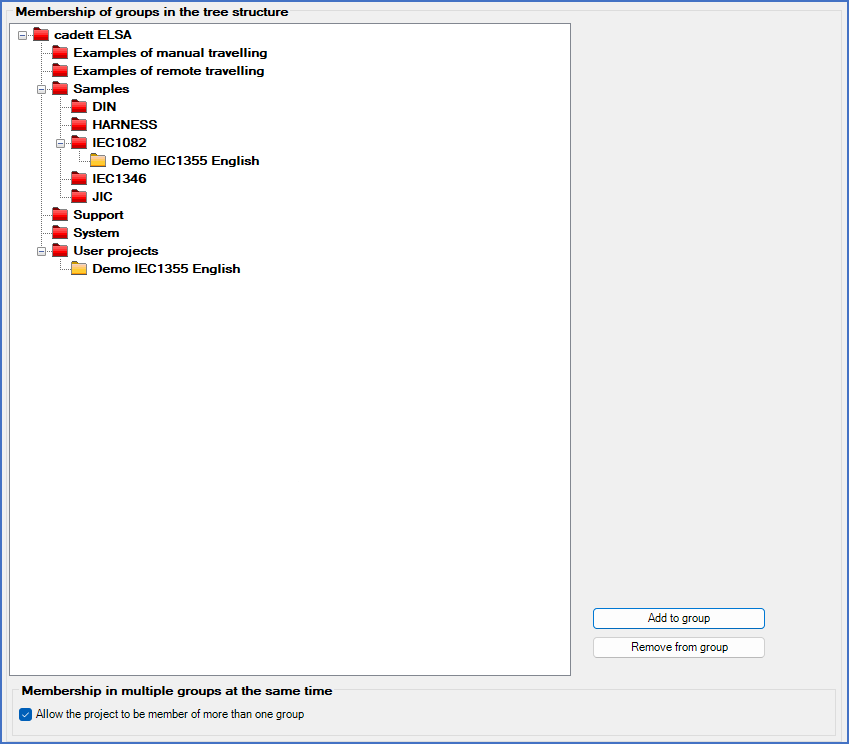
Figure 502: The project is immediately added to the selected group.