|
<< Click to Display Table of Contents >> Printer Settings... |
  
|
|
<< Click to Display Table of Contents >> Printer Settings... |
|

Figure 735: The "Printer Settings" command in the "File" panel of the "File" tab
This command enters the plotter settings, meaning the Plot and Publish tab of the OPTIONS dialogue box. (The standard AutoCAD CONFIG command).
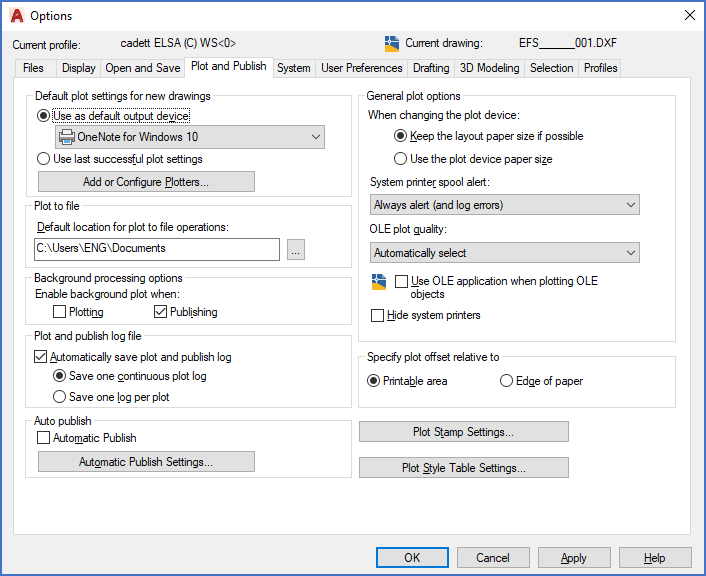
Figure 736: The "Plot and Publish" tab of the "OPTIONS" dialogue box