|
<< Click to Display Table of Contents >> Commands in the slide-out panel |
  
|
|
<< Click to Display Table of Contents >> Commands in the slide-out panel |
|
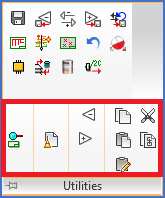
Figure 767: Commands in the "Utilities" slide-out panel
Commands in the Utilities slide-out panel are explained in sub-topics listed below.
•Shift to previous sheet without saving
•Shift to next sheet without saving