|
<< Click to Display Table of Contents >> Directly visible commands |
  
|
|
<< Click to Display Table of Contents >> Directly visible commands |
|
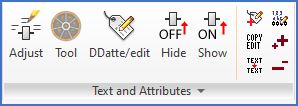
Figure 763: Directly visible commands in the "Text and Attributes" panel
Directly visible commands in the Text and Attributes panel are described in sub-topics listed below.
•Ddatte/edit (edit attributes and texts)
•Numbering of texts/attributes
•Increase the text height of a selected attribute
•Decrease the text height of a selected attribute