|
<< Click to Display Table of Contents >> Commands in the slide-out panel |
  
|
|
<< Click to Display Table of Contents >> Commands in the slide-out panel |
|
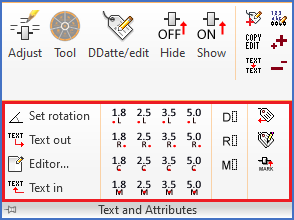
Figure 764: The "Text and Attributes" slide-out panel
Commands in the Text and Attributes slide-out panel are described in sub-topics listed below.
•Single line text 1.8 mm right
•Single line text 1.8 mm centre
•Single line text 1.8 mm midpoint
•Single line text 2.5 mm right
•Single line text 2.5 mm centre
•Single line text 2.5 mm midpoint
•Single line text 3.5 mm right
•Single line text 3.5 mm centre
•Single line text 3.5 mm midpoint
•Single line text 5.0 mm right
•Single line text 5.0 mm centre
•Single line text 5.0 mm midpoint
•Rtext (cadett ELSA Extended Text)
•Attext (Attribute Extraction)